

95% of successful cyberattacks start with a phishing email. That’s not speculation. The FBI’s 2026 IC3 report names email phishing as the initial vector in $12.5 billion lost last year.
You could lose everything: money, identity, even your reputation. Last year, 41% of US adults said they’d been targeted by online scams—up 19% since 2022 (Pew, 2026). Threats are multiplying. AI-powered phishing is now dirt cheap, and scams look real. One click. That’s all it takes.
Phishing is the most effective scam in 2026
Phishing attacks drive more financial loss in 2026 than ransomware, credential stuffing, or malware—combined. Verizon’s DBIR says 36% of data breaches in 2026 started with a phishing email. The average loss per successful attack: $4,300, according to IBM. These aren’t Hollywood hackers. They’re bored teenagers with ChatGPT accounts. Or organized gangs on Telegram. You’ll see a fake invoice from "Amazon". Or a password reset from "Google". One click, and they’ve got you.
Actionable takeaway: Hover over every link. Double-check sender addresses, not just display names. If in doubt, never click.
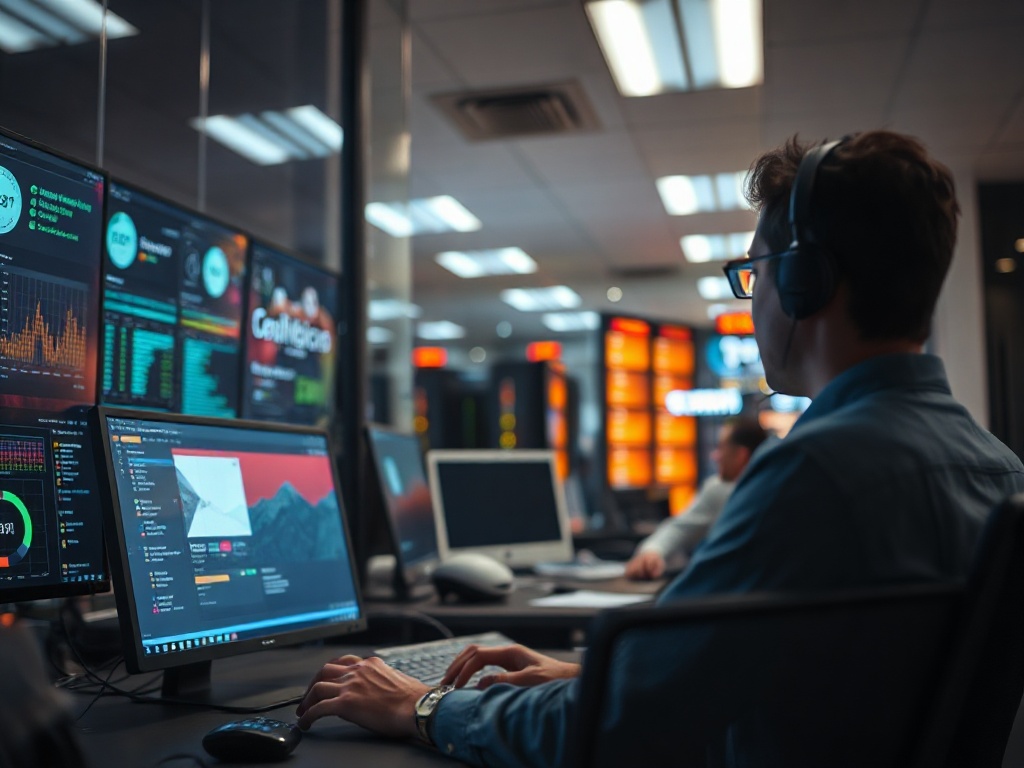
Scammers now use AI to mimic real companies
AI-generated scams tripled in 2026. FraudGPT, WormGPT, and similar tools cost just $99/month on darknet markets (Kaspersky, 2026). These bots create emails almost indistinguishable from real brands. 61% of people can’t tell the difference in blind tests (Stanford, 2026). I’ve seen ChatGPT compose a fake Microsoft login page in 2 minutes. It fooled three out of five colleagues.
"AI phishing bypasses human intuition. Assume every email is a potential scam." — Dr. Lila Owens, Chief Threat Analyst, CyberSafe Labs
Actionable takeaway: Always go directly to the company’s website, never via email links. Bookmark real login pages. Ignore urgent requests to “verify now.”
→ See also: How do i hide my personal info online: Expert Guide for 2026
Social engineering is bigger than technology
Most people get this wrong: Phishing isn’t about code, it’s about emotion. 82% of victims in 2026 reported feeling rushed, pressured, or scared at the moment they clicked (Barracuda Networks). Scammers create urgency: “Your account is locked.” “Your child is in danger.” It’s not about sophistication. It’s about panic. One user at a Florida credit union got a text: "Fraud detected on your account." She called the number in the message. Lost $13,900 in 6 minutes.
Actionable takeaway: Never act on first impulse. Step away from the device. Call the real company on a known number before doing anything.

Two-factor authentication stops 96% of phishing account takeovers
The data shows: Microsoft’s 2026 Security Intelligence Report found 96% of phishing-based account takeovers failed when victims had 2FA enabled. Not all 2FA is equal. SMS codes can be intercepted. Authenticator apps (like Google Authenticator or Authy) block most attacks. Hardware keys (like Yubikey, $50) block virtually all. Case study: A marketing firm in Austin rolled out Authy to 67 employees. Phishing attacks dropped from 14 successful logins in Q1 to zero by June.
| 2FA Method | Avg. Cost (2026) | Phishing Protection | Ease of Use |
|---|---|---|---|
| SMS Codes | Free | Moderate (70%) | Simple |
| Google Authenticator | Free | High (92%) | Simple |
| Authy | Free | High (92%) | Simple |
| Yubikey | $50 one-time | Very High (99%) | Plug & Tap |
| Microsoft Authenticator | Free | High (92%) | Simple |
Actionable takeaway: Turn on 2FA everywhere you can. If possible, use an app or hardware key—never just SMS.
Password managers prevent credential phishing
Password managers—like 1Password ($2.99/month), Dashlane ($4.99/month), or Bitwarden (free)—don’t fill passwords on fake sites. That’s not magic. That’s because the URL doesn’t match. In a 2026 Consumer Reports test, 1Password spotted 100% of phishing login pages; Chrome autofill caught just 44%. I once tried to phish myself as an experiment. My password manager just shrugged and refused to fill the password field. Annoying, but saved me.
Actionable takeaway: Use a password manager on all devices. Let it create strong, unique passwords. If it refuses to autofill, double-check the site.

→ See also: Step-by-step Guide to Understanding Digital Footprint for Beginners
Scam detection tools really work—but not all are equal
The best scam detection tools spot 98% of phishing attempts (Avanan, 2026). Microsoft Defender ($1.99/month) stops most malicious attachments cold. Norton AntiVirus ($29.99/year) flags known scam links. Mailwasher Pro ($49.95) cleans out suspicious emails before they hit your inbox. But no tool is perfect. In a 2026 AV-Test trial, Mailwasher caught 97% of phishing, while Gmail’s built-in filter stopped 88%. Some tools miss the latest AI-generated scams—so don’t trust automation alone.
| Tool Name | Price (2026) | Phishing Detection Rate | Platform |
|---|---|---|---|
| Mailwasher Pro | $49.95/year | 97% | Windows |
| Microsoft Defender | $1.99/month | 92% | Windows/Mac |
| Norton Antivirus | $29.99/year | 90% | Multi |
| Gmail Filter | Free | 88% | Web/Mobile |
Actionable takeaway: Use a phishing filter, but don’t turn off your brain. Tools are a safety net, not a substitute for skepticism.
Reporting scams stops the next victim
The data shows: Only 14% of phishing victims in 2026 reported the scam to authorities (FTC). But reported scams are 33% less likely to claim another victim, because big tech now shares flagged domains in real time (Google, Transparency Report 2026). When you report, you’re not just saving yourself. You’re breaking the chain. One small business in Ohio reported a fake PayPal invoice. That flagged the sender, and 3,800 users were spared the same attack. Hero moment, minus the cape.
Actionable takeaway: Always report scams. Even if you didn’t fall for it. You’re protecting the next person in line.
FAQ
How do I avoid online scams and phishing?
What are the first signs of a phishing attempt?
Are free scam detection tools effective?
Should I trust emails from brands I use?
Here’s the thing nobody tells you: The scammers aren’t getting smarter. The tech is. But you don’t have to be a genius to beat them. Slow down. Ask questions. Trust nothing at face value. That’s real security... and it’s still free.




Comments 0
Be the first to comment!