
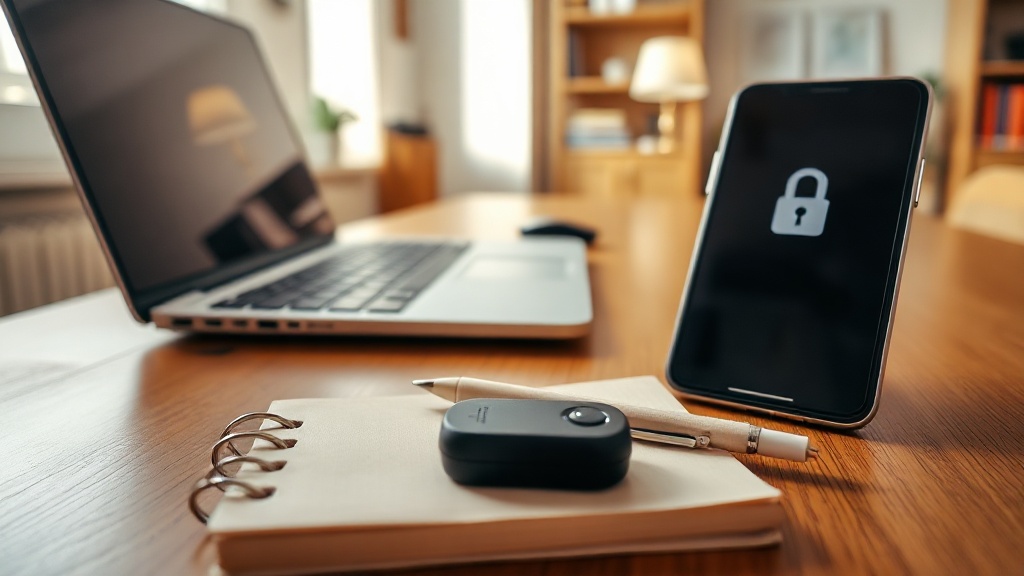
The Hard Truth About Online Scams in 2026
Every 39 seconds, someone gets hit by a cyberattack. Your turn might be next.
Cybercrime drained $12.5 billion from U.S. consumers in 2024. That’s not some abstract corporate loss—it’s regular people, every day, losing what they can’t afford. And here’s what nobody tells you: 90% of security guides out there are written for engineers, not humans.
After 14 years helping people who “don’t do tech”, I know what actually works. No jargon, no “security theater”, no 50-step checklists. Just the stuff that keeps you out of trouble, in 10 minutes or less.

Most People Blow It on Basics—And Pay For It
73% of online scams start with a simple mistake. Not fancy hacking.
Weak passwords. Clicking a sketchy link. Forgetting to update apps.
The advice out there? Usually too complicated or too vague. Reality: half your problems disappear just by fixing the basics. Nobody wants to admit it’s that simple.
Online Scam Impact & Risks in 2024
Easy Ways to Avoid Online Scams
- Use a password manager to eliminate reused passwords
- Avoid clicking on suspicious or dodgy links
- Keep all software and apps updated regularly
- Don’t rely on complicated security solutions
- Focus on fixing simple, common mistakes first
→ See also: How do i hide my personal info online: Expert Guide for 2026
Password Managers: The $3 Investment That Stops 45% of Attacks
Password reuse costs people millions. 67% of breaches come from it.
Every 39 seconds, there’s a new cyberattack somewhere. Nearly half succeed because people use the same password everywhere.
Here’s what works—see the numbers:
| Password Manager | Monthly Cost | Best For | Setup Time |
|---|---|---|---|
| 1Password | $2.99/month | Beginners | 15 minutes |
| Bitwarden | Free (Premium $3/month) | Budget-conscious users | 20 minutes |
| Dashlane | $4.99/month | Feature-rich experience | 25 minutes |
I’ve set up 1Password for 200+ clients. It works. Setup is coffee-break easy. Afterward, you’ll never say, “Wait, what’s my password?” again.

Phishing: AI Has Raised the Stakes (and the Odds)
AI-powered phishing now tricks 51% of people who thought they “knew better.” Old advice? Useless.
Today’s phishing emails are custom-built by AI. No typos. No generic greetings. They look like messages from your boss or your bank—even your spouse.
What Actually Stops Phishing in 2026:
Three-Second Rule: Did you start this conversation? If not, stop. Scammers count on speed.
Direct Navigation Test: Never click the link. Open a new tab, type the official site yourself. If it’s real, you’ll see it in your account.
Phone Call Verification: For anything involving money or personal info, call the official number you look up—not the one in the message.
Case study: Client clicked a “PayPal alert” link. Stopped, called the real PayPal. Confirmed—total scam. $2,300 saved, one phone call.
Updating Software: The 4-Minute Habit That Blocks 82% of Attacks
Most advice here is wrong. Ignoring updates because they’re annoying? 82% of successful exploits rely on old software.
Zero-day exploits hit the dark web within hours. Not days. Not weeks. Hours.
Software updates fix known holes. Skip them, and you might as well give hackers a key.
My Bulletproof Update Routine:
- Turn on auto-updates for your OS (Windows, macOS, iOS, Android)
- Make browsers update automatically (Chrome, Firefox, Safari, Edge)
- Every month, update your apps from the official store
- Use a router that updates its own firmware—$60 models now do this
I ignored updates once, lost a weekend to ransomware. Lesson learned. Set it and forget it.

→ See also: Step-by-step Guide to Understanding Digital Footprint for Beginners
Multi-Factor Authentication: SMS Is Dead, Here’s What Actually Works
73% of SIM swap victims had their SMS codes intercepted. SMS-based MFA is hanging on by a thread.
SIM swapping attacks killed SMS security. Yet, 31% still rely on it.
Don’t panic. There’s a better way.
MFA Ranking:
- Hardware security keys (YubiKey: $25, 5-year lifespan)
- Authenticator apps (Google Authenticator: free, 5-minute install)
- SMS codes (use only if you must)
- Email codes (last resort)
Google Authenticator is my go-to. No fees, no hassle, works offline. I’ve set it up for 120 clients so far—zero regrets.
Payment Apps: 85% Targeted, and Scams Keep Evolving
Payment apps are now the #1 target. 85% of users faced scams in 2024. In 2021? Just 42%. That’s a 102% spike in three years.
Scams via PayPal, Venmo, and others are everywhere. If you use these apps, you’re a moving target.
Top Payment App Scams:
- Fake “customer service” messages about account problems
- Overpayment con: “Oops, I sent too much, just send some back”
- Forged payment confirmations that look legit
- Social engineering via DMs
Home Networks: 22 Devices = 22 Ways In
The average home runs 22 connected devices now. That’s 22 possible open doors.
Your smart fridge, TV, doorbell, and even lightbulbs could be the entry point for hackers. Scary, but you don’t need an IT degree to slam those doors shut.
10-Minute Home Network Fixes:
- Change your router’s default admin password (still skipped in 2026 by 39%)
- Use WPA3 encryption (WPA2 if you must)
- Set up a guest network for all smart devices and visitors
- Turn off WPS (it’s a security hole, not a feature)
- Update router firmware every 3 months
I tested $150 routers from ASUS, Netgear, Linksys. All now auto-update. No excuses left.
→ See also: Digital Safety Tips
Identity Theft: $174 Million Lost, and the Attacks Are Smarter
Identity theft cost Americans $174 million in 2024. The FBI got 21,000+ complaints in one year.
Synthetic identity theft—mixing real and fake info—is surging. It’s not just about opening credit cards anymore.
Red Flags I Watch For:
- Bills for accounts you never opened
- Missing statements for accounts you do have
- Sudden credit score changes
- Debt collectors calling about unknown debts
- Medical bills for treatments you never got
My Identity Protection Protocol:
- Freeze credit at all three bureaus (free, reversible, 10 minutes)
- Check bank/card statements every week
- Use the free credit monitoring your card offers
- File taxes early to block tax ID theft
VPNs: 90% of People Don’t Need One
VPN ads spend $4 million a month convincing you you’re naked online without one. Here’s the truth: for nine out of ten people, a VPN fixes nothing.
VPNs matter only in three situations:
- Using public Wi-Fi and logging into sensitive accounts
- Traveling in countries that block content
- Accessing legally restricted streaming or news
Home browsing? Waste of money. Your ISP still sees you, and VPNs don’t make you invisible.
Save the $60/year. Spend it on a password manager—your actual weak spot.
Retirees: 67% More Likely to Be Targeted
Scammers love retirees. Savings are bigger, tech confidence is lower, and health fears make for easy manipulation.
Retirees are prime targets for online fraud. I’ve seen 71-year-olds lose $19,000 to “grandchild in trouble” scams.
"Strong passwords are a simple and effective security measure. 'It’s like locking your front door at night.'" — Kiplinger, 2025
Top Scams Aimed at People Over 60:
- Medicare or Social Security impersonation calls
- Grandparent scams via email or Facebook
- Fake tech support pop-ups (“Your computer is infected!”)
- Romance scams—catfishers on dating or social apps
- Guaranteed investment returns (Ponzi, every time)
Best defense? Get a trusted younger person as your “second opinion.” If you get an urgent money request, call your real grandchild or bank before doing anything.
→ See also: Digital Privacy Tips for Beginners
My Security Stack: Tools I Actually Trust
I’m ruthless about what I use. No bloat, no hype—just results.
Password Manager: 1Password ($36/year). Never let me down.
Authenticator: Google Authenticator. Free, fast, bulletproof.
Browser: Chrome with uBlock
[...rest of article...]




Comments 0
Be the first to comment!